


Every catering delivery,on time and on one screen.
Catero Dispatch reads your orders automatically and plans your driver's Routes, tells each driver when they must depart, and puts turn-by-turn navigation on their phone.
3 of 3 drivers · tightest gap 14 min
All routes on time- Route 1 · Marcus10:05
- Route 2 · Ana10:20
How dispatch works
Four steps, for the whole day or one rush at a time.
Pick the date
01Confirmed orders for that day are pulled from your catering platforms. Pick as late as you want, even mid-lunch-rush, same day. Pickups are automatically excluded.
Generate the Plan
02Deliveries are spread across your driver count with traffic-aware travel times and a loading/unloading gap at every stop.
Edit if needed and assign
03Move stops between Routes, fix Exceptions, then assign a Driver from your roster to each Route.
Drivers get a link
04Each Driver receives a link by text: their Must-depart-by, ordered stops, and Google Maps for every Leg. No app to download.
One knob: how many drivers.
Set the driver count and generate. The Plan covers every routable Delivery, works backward from each Arrival window, and reports the tightest gap so you know how much slack your day has.
Using 3 of 3 drivers; tightest gap 14 min.
Exceptions 2
Fix the missing data, then the Delivery joins the Plan on the best-fitting Route.
- no timeKettle & VineDirect55207 · 700 N Sacramento Blvd · 30pMissing delivery timeAdded to Route 2 · Ana, 11:30 AM11:30 AMAdd to Plan
- Address could not be located12:00 PMBright Peak TutoringFooda4L9P-77 · "the blue building, suite 400" · 12p
The Plan is a draft until you say otherwise.
Move a stop to another Route or open a new one, and feasibility is re-checked instantly. Orders missing a time or a usable address land in Exceptions instead of being guessed at, and join the Plan the moment you fix them.
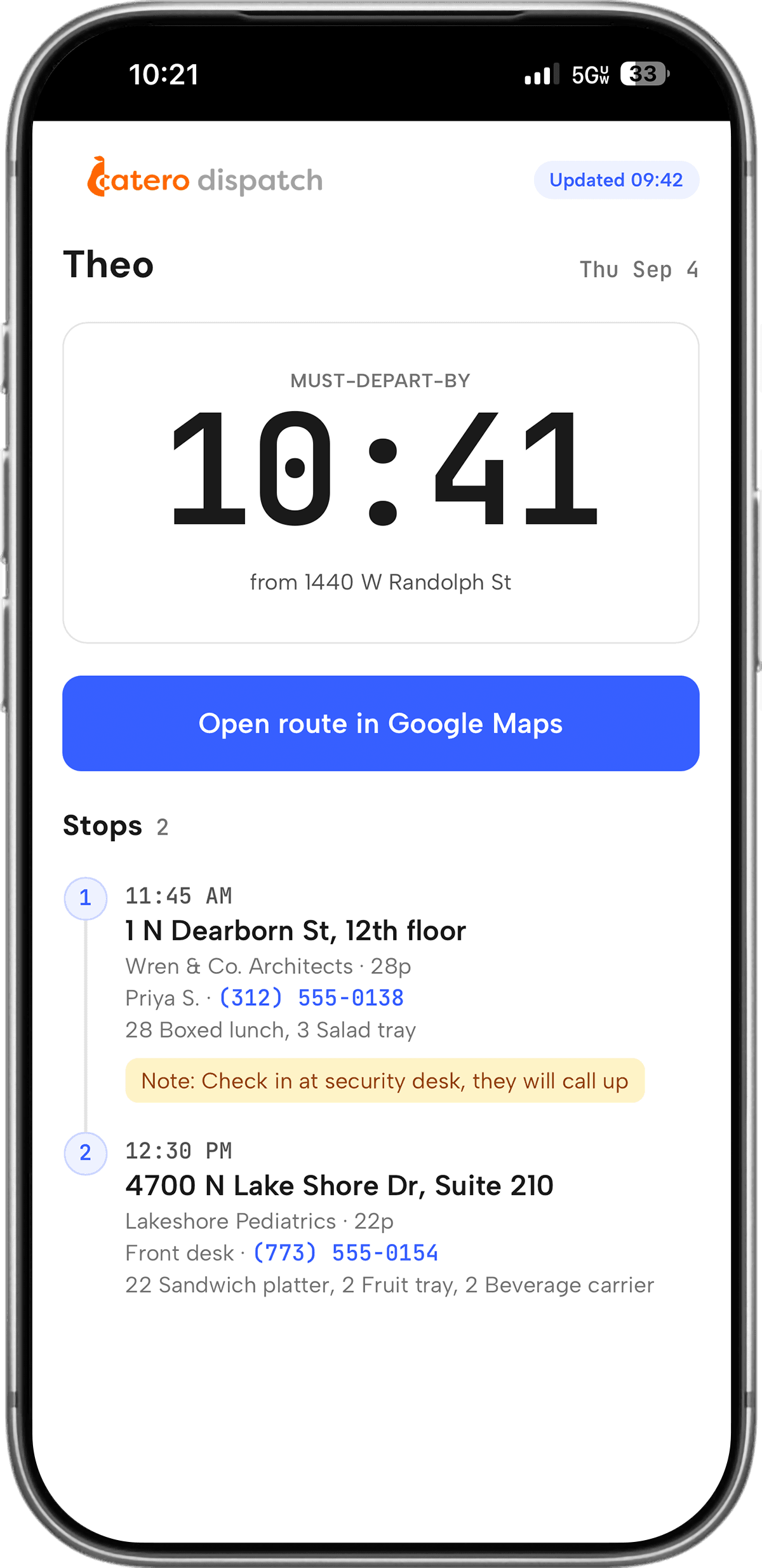
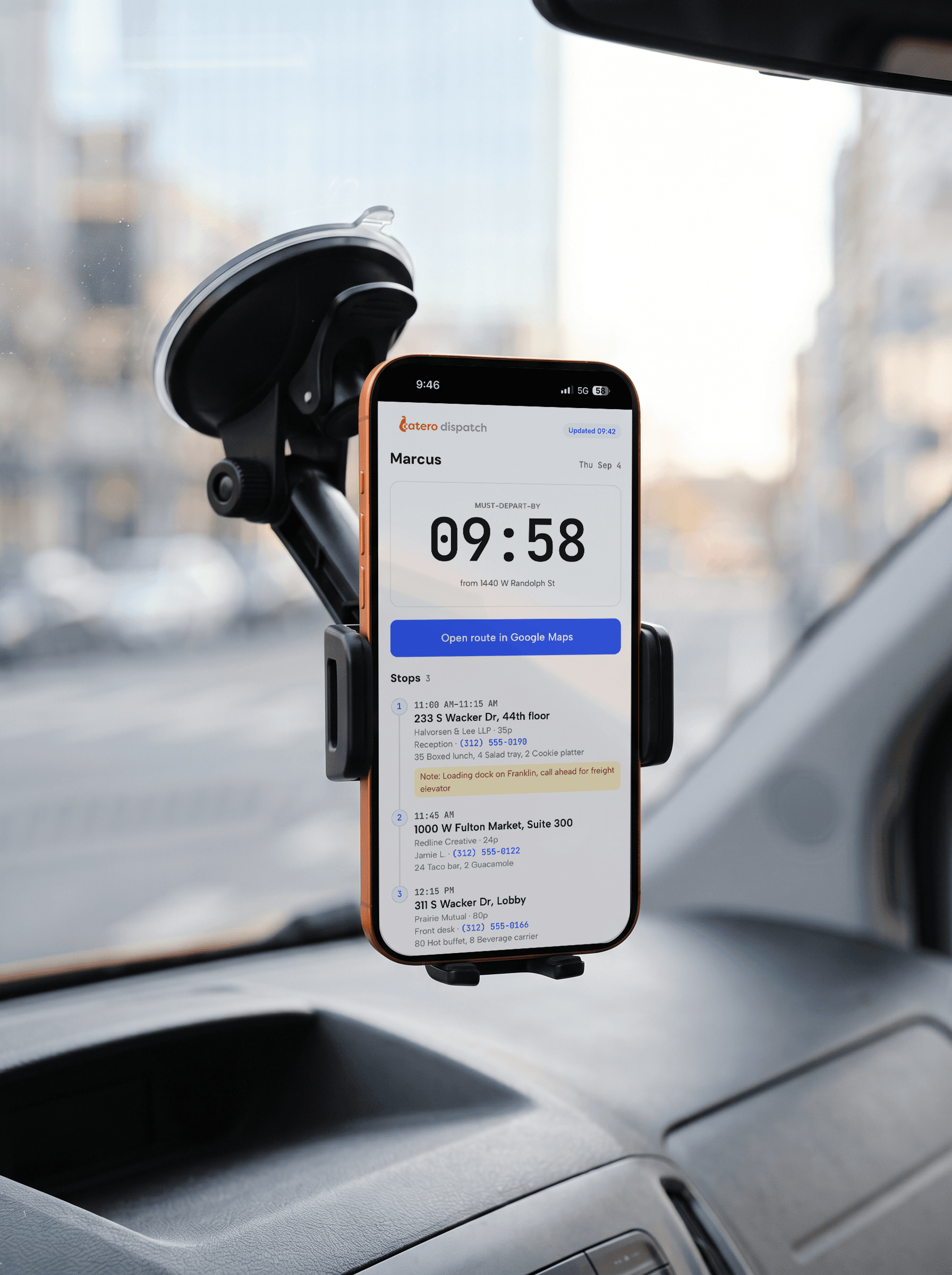
All the information they need in one easy to read page.
Must-depart-by is back-computed from the tightest deadline on the Route, with traffic and unload time already in it. Below it, the stops in order and a Google Maps button for each Leg. Customer-provided delivery instructions (e.g. "The dock is in the alley, call and I'll come meet you"), platform-specific requirements (e.g. "Please text this code when the delivery is complete"), and other relevant delivery info (e.g. phone numbers, gate codes, setup instructions, etc.) are all present on the page, so your drivers don't need to tab in and out or juggle physical sheets. No need to install an app or fiddle with logging in.
Dispatched — 2026-09-04
Recalculated against live traffic. Every Route still makes its stops.
Traffic, construction, freight trains that stop for some mysterious reason and then move backwards at 2 mph. The plan adjusts accordingly.
Recalc against live traffic any time before wheels roll; Driver links update in place with an "updated" banner. Refresh orders to pull in same-day additions, cancellations, and delivery-window changes. Update driver routes, add drivers on the fly.
Frequently asked questions
What makes Catero Dispatch different from other route planning apps?
No data entry! With Catero Dispatch, you don't need to manually type in all of your order addresses, delivery instructions, etc. at the beginning of the day. All of it is automatically populated via Catero Calendar.
What does it need from us?
Your kitchen address and an active Catero Calendar subscription (we use this to populate your routes).
How do drivers receive their Route?
By text message, as a Driver link. It opens in the phone's browser, shows their Must-depart-by and stops, and expires at the end of the service day. Login not required. Links expire at the end of the day.
What if we sometimes use drivers from third party platforms?
No problem at all! Third party drivers can be added easily to your roster for a single day. This is also why no login or app is required to received a Route.
What happens when traffic changes?
Recalc re-times every Route against live traffic. If a Route can no longer make a stop it is flagged for you, and the driver's link shows an "updated" banner with any changes.
Is this the same as a food-delivery app?
No. Catero Dispatch doesn't assign drivers or take a cut from your orders, and your customers don't interact with it at all. Catering deliveries have hard Arrival times/windows, potentially hundreds of servings per stop, and your own drivers. Dispatch plans around deadlines and unload time, not fastest-first courier assignment.

Part of the Catero suite. Dispatch sits alongside Catero Calendar, Invoicing, and Prep.
Ready to run tomorrow's deliveries?
Reach out to us and we'll set up your Depot and roster together.